|
Welcome! Thanks for stopping by. Check back here frequently to keep up with my lastest projects. Artist Collaboration
Since 1981, when I began my career as a professional photographer, I have collaborated with hundreds of other experts in their fields to help make sure that my clients receive the very best finished products and services. I first learned the importance of collaboration when I started my career as a wedding and portrait photographer. I worked with many types of service providers and vendors at each of the 1,500+ weddings I photographed. I would notice who seemed to be providing the caliber of service and experience that resonated with my clients. How would these pros make the day special for our shared client? What sort of job would they do? Was the experience enjoyable, easy, and fun? Did they deliver on their promise to the client? Over time, I was able to know who I could trust to uphold the same standards as me and vice versa. I guess you could say we had a shared vision for our clients. Soon I was referring them and them me. Working together never felt like work. It was a pure delight and lots of fun. Most of all, our clients were happy and appreciated how much we cared about them and trusted that we would always deliver our very best. Wedding couples typically had a choice about who they wanted to work with and referrals were then golden – just like they are today. What we did not always know until the wedding day, was who the couple selected to create their wedding experience. Needless to say, when this network of “A-Team” professionals showed up, the typical wedding stress was reduced for all of us. We all knew it was going to be a great day working together. Most of all, our collaboration allowed the couple’s wedding day dreams to come true! One of the service professionals I typically worked closely with on the wedding day was the videographer. I was fortunate to find a videographer who was simply one of the best – he still is! I’ll share the story with him another time. Together, we “danced” with one another at hundreds of weddings. He focused on the moving and verbal part of the coverage and I focused on the portraits and still images to tell the wedding story. When we had to share working space at all the different locations in which we worked, we were both considerate of what the other needed for our respective parts of the wedding day coverage. That respect and trust allowed each of us to deliver the very best finished product for our clients. Today, as a commercial photographer, even though my camera has the capability to do both video and still images, if someone wants video on one of my projects, I will bring in an expert filmmaker – someone I know and trust to work alongside me on a project as a sub/independent contractor. Mike Kirsch, founder and creative director at Cinematek Creative based here in Orange County is one of the pros I can recommend. He graduated from Chapman Film School, worked with MacGillivray Freeman Films, and many others as he built his career, before starting his own business several years ago. Mike and I met because we have shared a client - the Segerstrom Center for the Arts in Costa Mesa, California - and, for many years, worked together on many projects. One the most memorable was when we created stills and a video side-by-side for the 2018 World Premiere of the ballet entitled “Isadora” starring prima ballerina, Natalia Osipova, with choreography by Vladimir Varnava. Mike’s video was used as a TV spot and my stills were used in marketing and editorial stories all over the world. When I think of artist collaboration, I feel like I’ve worked with some of the best and hope that you find successful ways to collaborate, too! To see the video – HERE To see the still images – HERE Please let me know how we can start a relationship with you and collaborate together on your next commercial project! Doug Gifford Photography O: (949)362.3661 M: (949)292.6865
Looking Your Best on Video Calls / Tips from Pro Portrait Photographer – Doug Gifford
Like it or not, we have all become remote correspondents logging reports from the front lines - in our home offices. Just like the network news, some are better at it than others. As a professional commercial portrait photographer for 39 years, I have built hundreds of sets and used hundreds of more natural light locations to create the environments to capture the perfect images or videos for each client. Once the subject is “camera-ready” on set in front of the camera’s viewfinder, my well-trained eye can see what works and what doesn’t and quickly make the appropriate adjustments to the subject’s appearance, background, lights, camera, and with video - sound. After being a part of many video calls of late, I found myself wanting to reach out to the people on the call and offer a few easy-to-make adjustments from what I could see in my “viewfinder” to help them enhance what their viewers were seeing. Since that wasn’t possible at the moment, here are some pro-tips I would have shared that you can try yourself to more accurately reflect your personal or business brand for your next video call.
Appearance For better or for worse on video calls, the people on the call with you will have lots of time to look at your appearance. Remember to always do your basic personal grooming and dress simply as you would for work or play from head to toe.
Check your appearance using your camera one last time before you go “live.”
Background Everything that is in the background is a part of the story you are telling to your “viewers.” The elements that comprise your background should be intentionally arranged to allow the focus to still be on you.
Sit in your chair and take a selfie or screenshot and see what others see to make sure your set is camera ready. You can even ask a colleague, friend, or family member to share with you what they notice about your “set” and the story it might be telling them. Adjust your background as appropriate from the feedback provided.
Lighting The best quality of light to use is to face a large, soft, single-color light source.
Lighting Dos:
Lighting Don’ts:
Although the cameras in computers and phones are pretty good these days, a better choice is to get a separate webcam to look your best. Remember to position your camera at eye level. Before you “go live:”
Once you are on the call:
Although the microphone in your computer or in your separate webcam is typically good, for the best results, get a desktop microphone or lapel mic. Before the call:
Once you are on the call:
15-Minute Complimentary Video Call & Feedback If you want an assist, please send an email to [email protected] with “Close-up” in the subject line to schedule an appointment. Please include some options regarding the days and times that work best for the “Image Doctor” to pay you a virtual visit and I will do what I can to accommodate your schedule or offer alternatives. I will give you feedback “on the fly” on a video call about what’s working well or what you might want to adapt or adjust to look better on video. It would be great to see you!
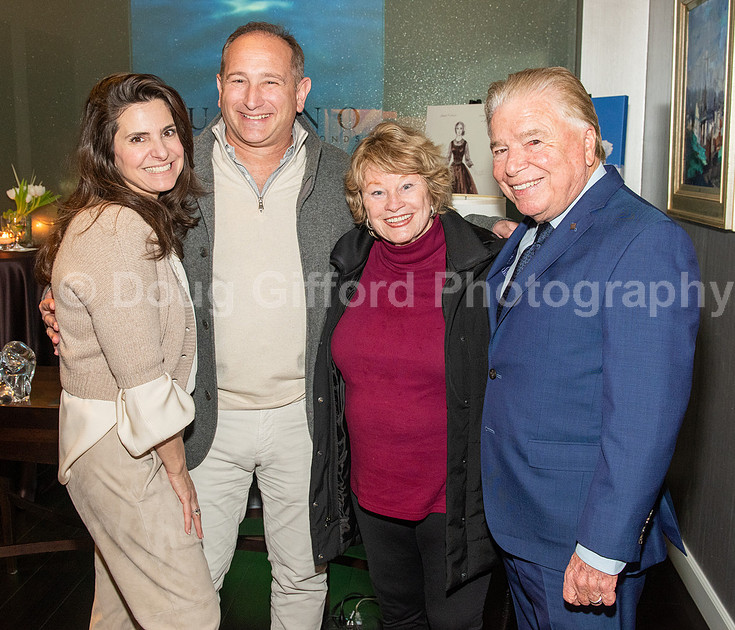
Private Reception and Preview of AFI Live Achievement Awards - Julie AndrewsA Private Reception and Preview of AFI Live Achievement Awards - Julie Andrews was held at Lugano Diamonds in Newport Beach, California on March 12, 2020.
Pacific Symphony Gala was held at the Hotel IrvinePacific Symphony Gala was held at the Hotel Irvine in Irvine, California on March 7, 2020.
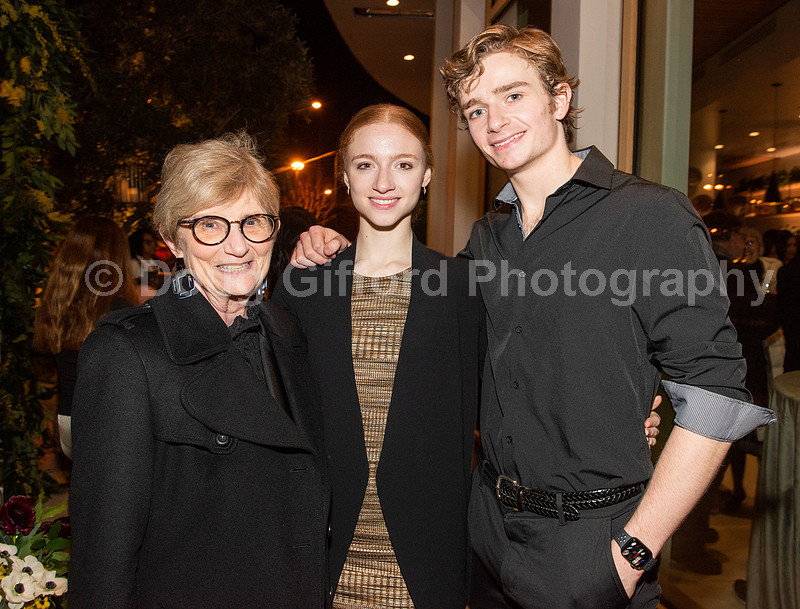
The Cast Party for the American Ballet Theatre's "Of Love and Rage"The cast party after the American Ballet Theatre's "Of Love and Rage" World Premiere performance at The Hall, at South Coast Plaza in Costa Mesa, California on March 5, 2020. Pictured below: SCFTA Executive VP, Judy Morr, Catherine Hurlin as Cailirose, Aran Bell as Chaereas.
|